
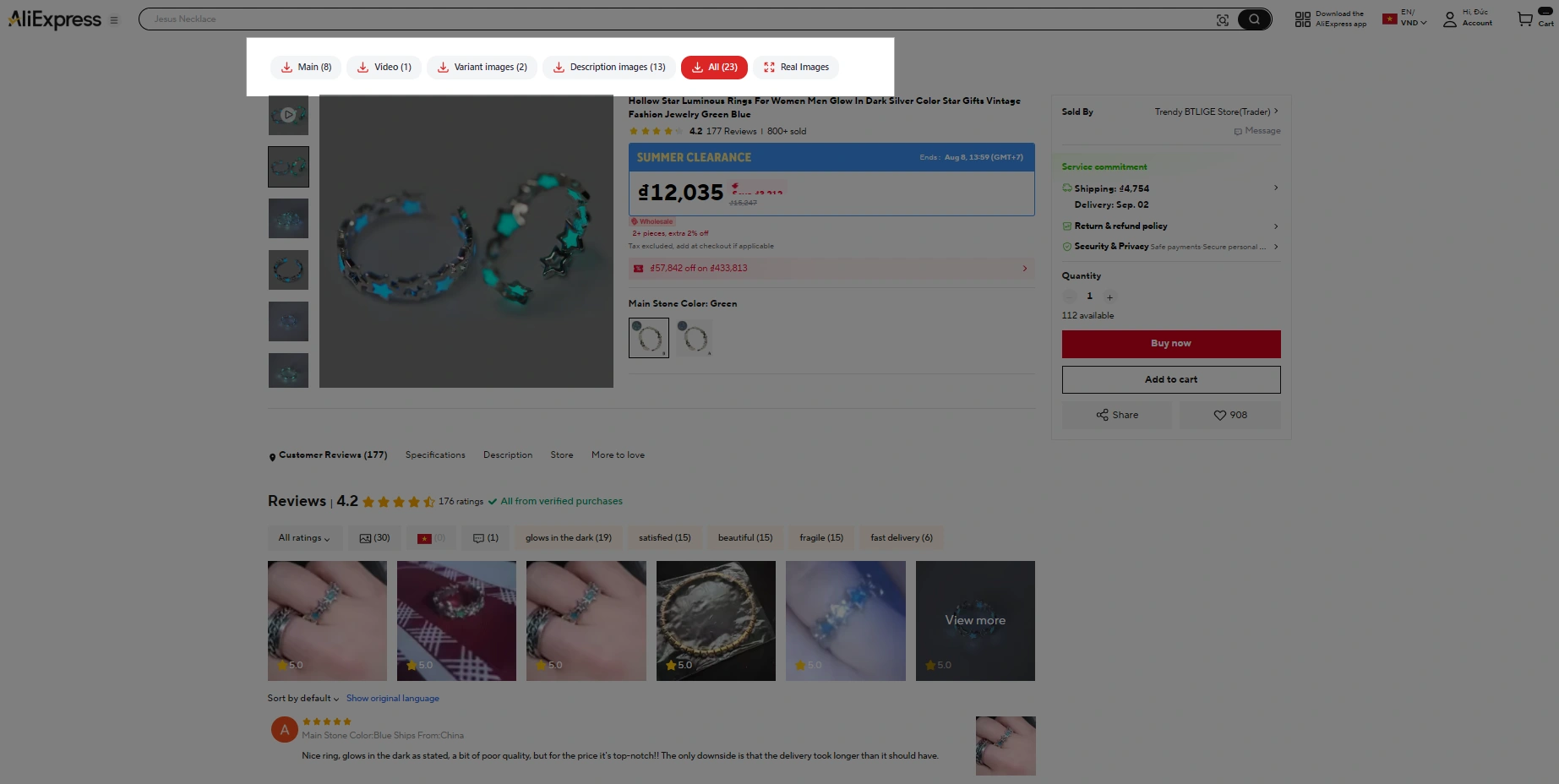
Grab the whole media set
One click collects what's on the page, including the images most people never scroll far enough to find.
- Main gallery photos at full resolution
- Every colour and size variation
- Images buried in the description
Your tool for effortlessly downloading product images and videos from AliExpress and Alibaba. Built for e-commerce entrepreneurs, dropshippers and online shoppers who need product media for listings, marketing, or personal use.
Free forever. No account, nothing to configure.
Click the puzzle icon, then the pin next to AliSnapMedia.
Get started
Click the puzzle icon in the Chrome toolbar, then the pin beside AliSnapMedia. It stays one click away from then on.
Head to any AliExpress or Alibaba product listing — every country domain works.
Use the button on the page or the toolbar icon. Every image and video lands in your Downloads folder.
What you get
Download all available product images and videos with a single click.
Select multiple images and videos and save them together as a single zip file.
Grab the full-resolution product images and original video, not a shrunk preview.
Product videos are converted to standard H.264 so they play anywhere, not just in Chrome.
Everything runs on your device — no account, no server, no data leaves your browser.
AliSnapMedia — Download AliExpress Media may use affiliate links when redirecting or interacting with AliExpress pages. This means we may earn a small commission at no additional cost to you. This does not affect the functionality of the extension or the price you pay.
Productivity tool for AliExpress & Alibaba
With one click, pull every product image and video off any AliExpress or Alibaba listing — gallery, variations, description, all of it.
Add to ChromeOfficially on the Chrome Web StoreIt's Free · No account
No sign-up, nothing installed on AliExpress's side — everything runs locally in your own browser.
How it works
No sign-up, no settings to configure — install once and every AliExpress or Alibaba page gets a download button.
Click the button below to add AliSnapMedia — it's free, no account needed.
Install NowHead to any AliExpress or Alibaba product listing.
Or click the app icon in the top right of your browser to start the download.
Images and videos are saved straight to your computer.
See it in action
From an empty browser to a folder of product media on your desktop. Nothing to configure in between.
One click on the Web Store listing. No account, no onboarding, no settings screen.
The download button appears on the AliExpress listing by itself — nothing to switch on.
Gallery photos, every variation, description images, the video — or just take the lot.
Sorted into folders, named in order, ready to import into your store.
Installs in seconds. Works on any Chromium browser.
What it does
Sourcing a product shouldn't mean right-clicking forty images one at a time.
One click collects what's on the page, including the images most people never scroll far enough to find.
Files land grouped by type with names you can read, so bulk-importing to your store doesn't turn into a renaming session.
Bulk variant photos
Swatch images are what actually eats the afternoon — twelve colours means twelve right-clicks before you've even started on the gallery.
AliSnapMedia reads the variation list off the listing and pulls each swatch at full resolution — including the ones you'd have to click through the picker to see.
HD video download
No screen recording, and no pasting the link into a downloader site that hands back a watermarked 480p file.
When a listing has a video, AliSnapMedia finds the source file and saves it alongside the images — converted to standard H.264 so it opens anywhere, not just in Chrome.
Do the maths
Drag the sliders to see what saving media by hand actually costs you each month.
You get back
Before you install
Yes. Every feature on this page works without payment or an account, and there's no trial that expires.
Yes. If the listing has a video, it comes down as an MP4 alongside the images.
The extension reads the product page you're on so it can find the media files. It doesn't ask for your AliExpress or Alibaba login and doesn't track your browsing. Details are in the privacy policy.
Yes. Any Chromium browser that installs from the Chrome Web Store will run it.
Yes. AliSnapMedia works on AliExpress and Alibaba product pages, across every country domain.
The extension gives you the files. Whether you may republish a given supplier's photos depends on your agreement with that supplier, so check before you list.
Ready when you are
Install once and every AliExpress or Alibaba product page gets a download button.
Add to ChromeOfficially on the Chrome Web Store